
Ilevia’s integration with Matter protocol
INTRODUCTION
The integration between the Ilevia home automation system and the Matter protocol makes it possible to connect and manage compatible smart devices within the Ilevia ecosystem in a fast and straightforward way. Thanks to the simplicity of Matter, the integration process is quick to carry out, reducing configuration time while providing a seamless and reliable smart home experience.
Each Matter-ready device may have a different procedure for entering pairing mode. Before continuing with the configuration, please refer to the device’s instruction manual and follow the manufacturer’s pairing instructions.
Matter device importation
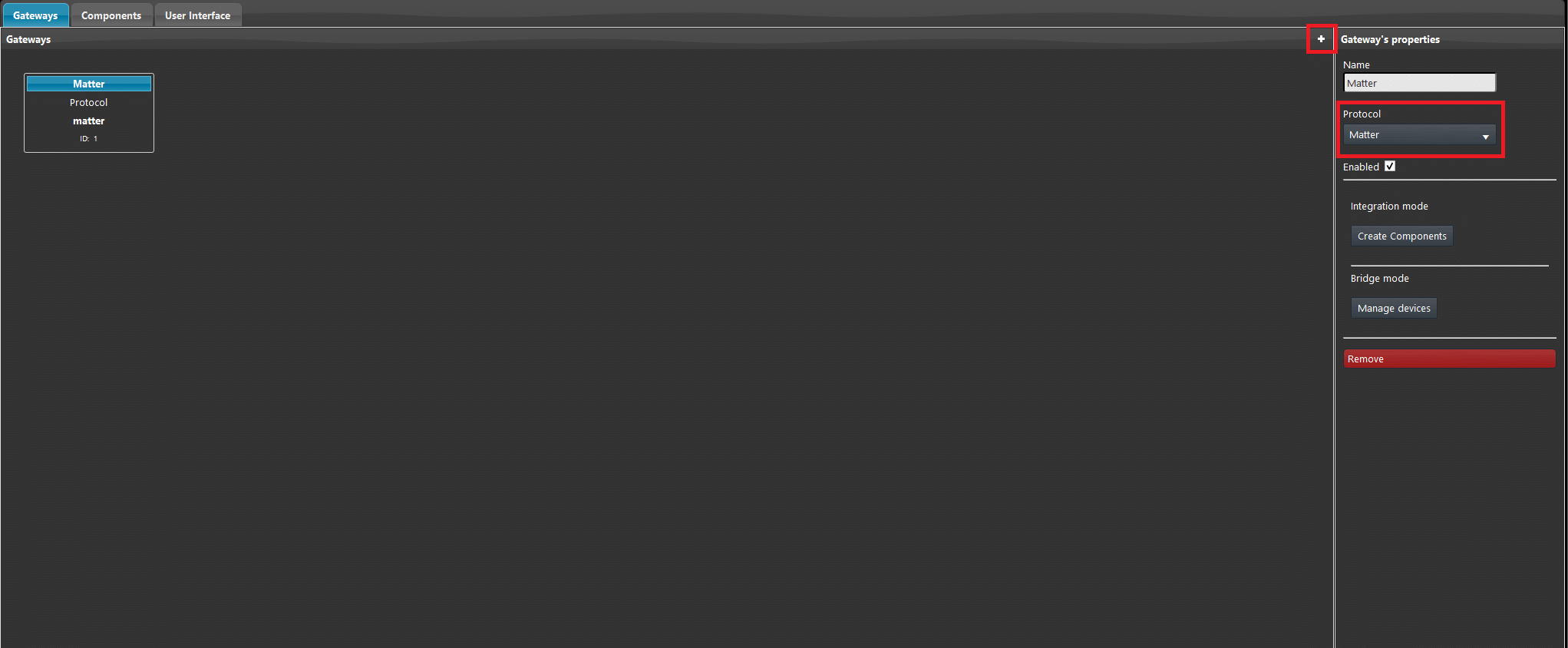
Start the Ilevia’s configuration software Ilevia Manager. Then add a new Matter gateway by clicking the “+” icon on the top right or click right mouse button and select Add gateway. Finally search and select “Matter” from the “Protocol” drop down.
Upload the project into the server.
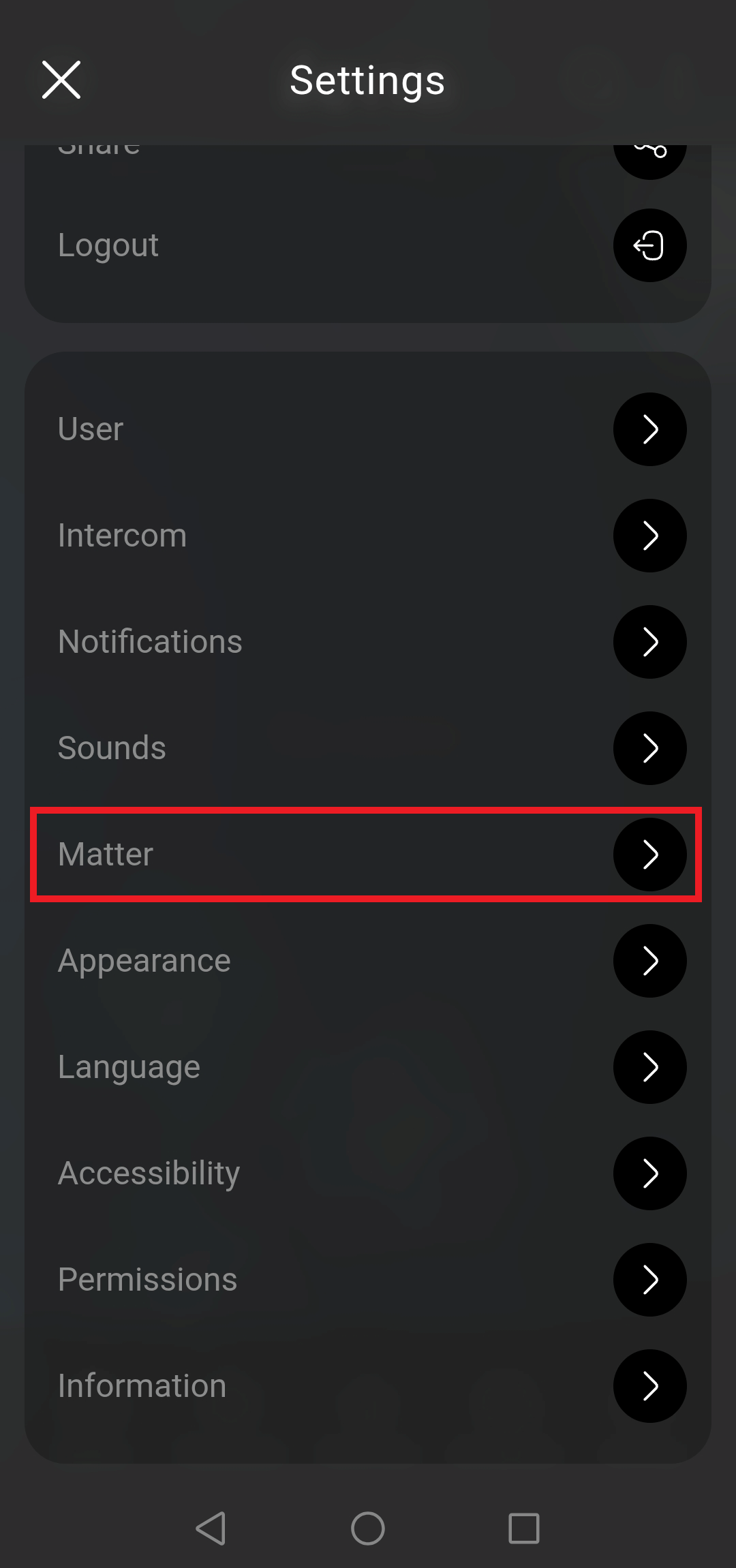
After the upload, login into the account from the Ilevia Control app. Access the Account settings and finally click on “Matter“.
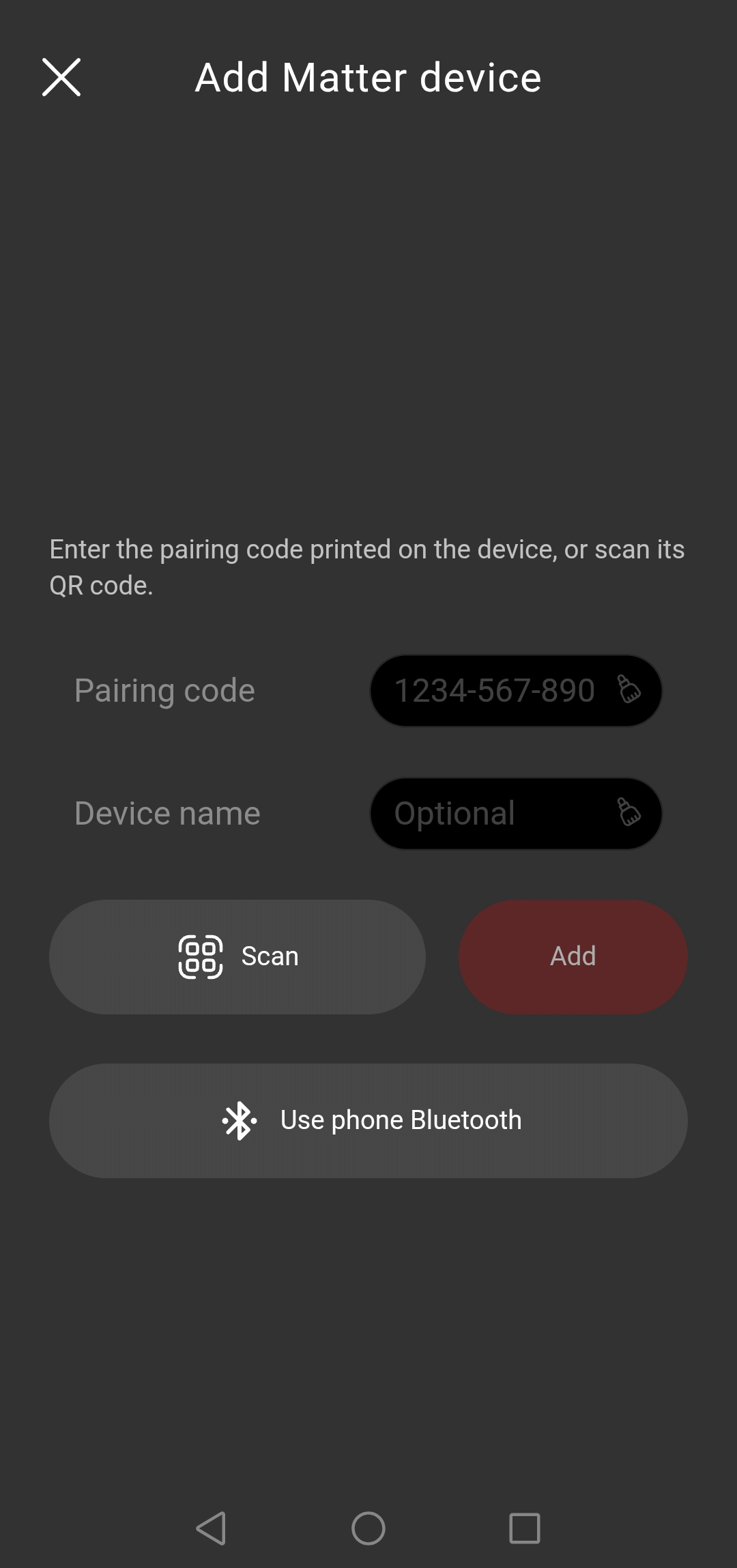
Click on add device “+“, then, within this windows you can choose between adding the Matter device through: Serial number, Scanning the device QR code or adding it through your device bluetooth connection.
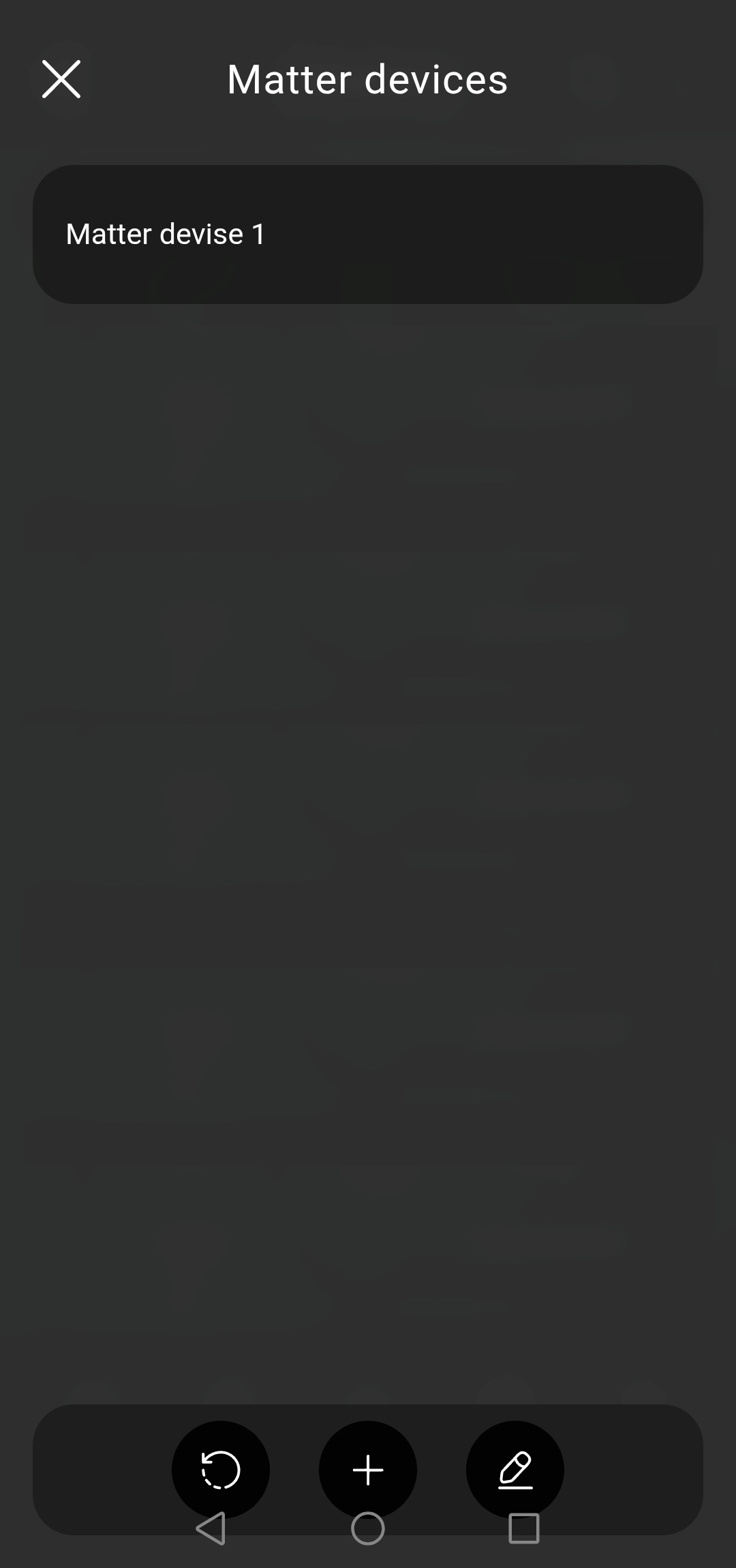
Once the device is paired with the server, you will find it on the main screen list on Ilevia Control.
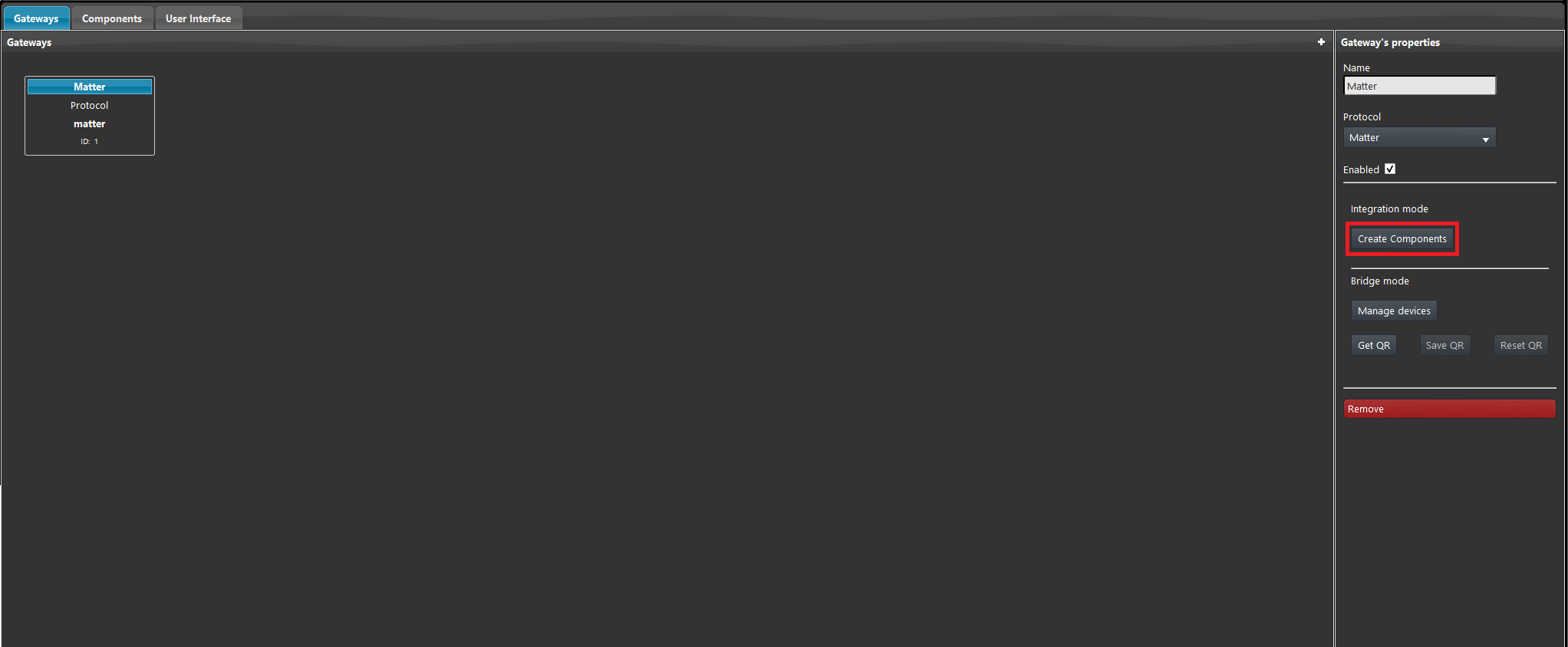
Get back to the Ilevia Manager software, then access the Gateway tab of the software and select the Matter gateway created earlier, finally click on Create components. Once done you will find the components created according to the type of Matter device.
Finally upload the project again to apply the configuration to the server.
This section of the guide explains how to configure Ilevia project components to work with the Matter protocol, allowing components that do not natively support Matter to be integrated into the Matter ecosystem.
